Best Free Digital Signature Generator: Create Professional Handwritten Signatures Online in 2025
In today’s digital world, having a professional handwritten signature is essential for adding a personal touch to your documents, emails, and contracts. Whether you’re a business professional, freelancer, or just someone who wants to sign PDFs electronically, finding the right tool can make all the difference. Enter the Free Digital Signature Generator by MICROQIT – a completely free, privacy-focused online tool that lets you create high-quality digital signatures in seconds.
This guide will walk you through everything you need to know about this powerful signature creator, including its features, how to use it, and why it’s the best choice for generating transparent PNG signatures. Optimized for SEO, this post aims to help you boost your productivity while ranking higher in search results for terms like “free digital signature generator” and “handwritten signature online.”
 Examples of professional handwritten signatures created with cursive fonts.
What is a Digital Signature Generator?
A digital signature generator is an online tool that allows you to create electronic versions of your handwritten signature. Unlike traditional wet-ink signatures, these digital alternatives are saved as images (usually PNG with transparent backgrounds) that can be easily inserted into digital documents. The MICROQIT tool stands out by offering both text-based and freehand drawing options, ensuring your signature looks authentic and professional.
Key benefits include:
- Convenience: Create signatures anytime, anywhere – no scanning required.
- Professionalism: Add a personal touch to emails and contracts.
- Legality: In many jurisdictions, digital signatures are legally binding under laws like the ESIGN Act.
- Privacy: All processing happens client-side, with no data stored on servers.
Features of the MICROQIT Free Digital Signature Generator
The tool is packed with features designed for ease of use and high-quality output:
- Two Creation Modes: Choose between typing your name with professional handwritten fonts or drawing freehand with your mouse, stylus, or touchscreen.
- Handwritten Fonts: Select from 6 elegant fonts like Dancing Script, Great Vibes, and Allura for consistent, professional results.
- Customization Options: Adjust font size (small to extra large), color (black, blue, etc.), and preview in real-time.
- High-Resolution Output: Download as 600x200 pixel transparent PNG files, perfect for high-DPI displays.
- Mobile Compatibility: Fully responsive design works on desktops, tablets, and smartphones.
- Privacy-Focused: No registration, no data transmission – everything stays on your device.
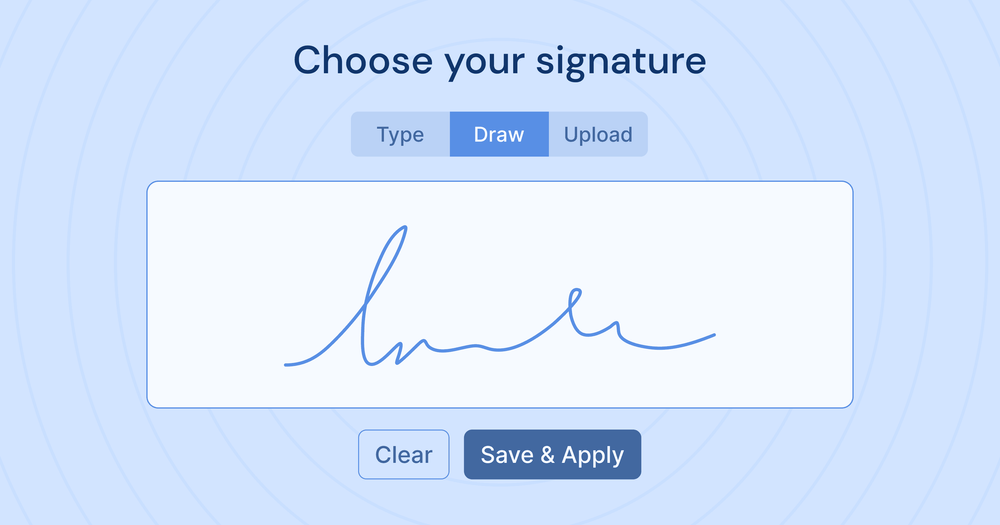 The intuitive interface of a digital signature generator, featuring draw and type modes.
How to Use the Free Digital Signature Generator: Step-by-Step Guide
Creating your signature is quick and straightforward. Here’s how:
- Visit the Tool: Head over to https://microqit.com/signature-generator.
- Choose Your Mode:
- Text-Based: Type your name or initials, select a font, adjust size and color, and preview.
- Freehand Drawing: Switch to draw mode, use your input device to sign, choose ink color, and clear if needed.
- Customize: Experiment with options until you’re satisfied.
- Download: Click “Download PNG” to save your transparent signature image.
- Insert into Documents: Use tools like Adobe Acrobat, Microsoft Word, or online editors to add it to PDFs or emails.
For a visual tutorial, check out this helpful video on creating electronic signatures:
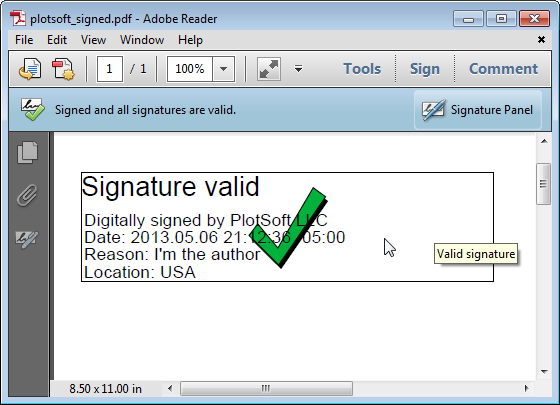 Example of adding a digital signature to a PDF document and validating it.
Benefits of Using This Online Signature Creator
Why choose MICROQIT’s tool over others?
- Free Forever: No hidden fees or limits – create unlimited signatures.
- Versatile Applications: Ideal for business documents, legal forms, email signatures, proposals, and creative projects.
- Seamless Integration: Transparent PNGs work on any background, from white PDFs to colored emails.
- Mobile-Friendly Drawing: Draw naturally on your phone or tablet for authentic results.
- Efficiency Boost: Save time by avoiding physical signing and scanning.
Professionals report increased productivity and a more polished appearance in their communications.
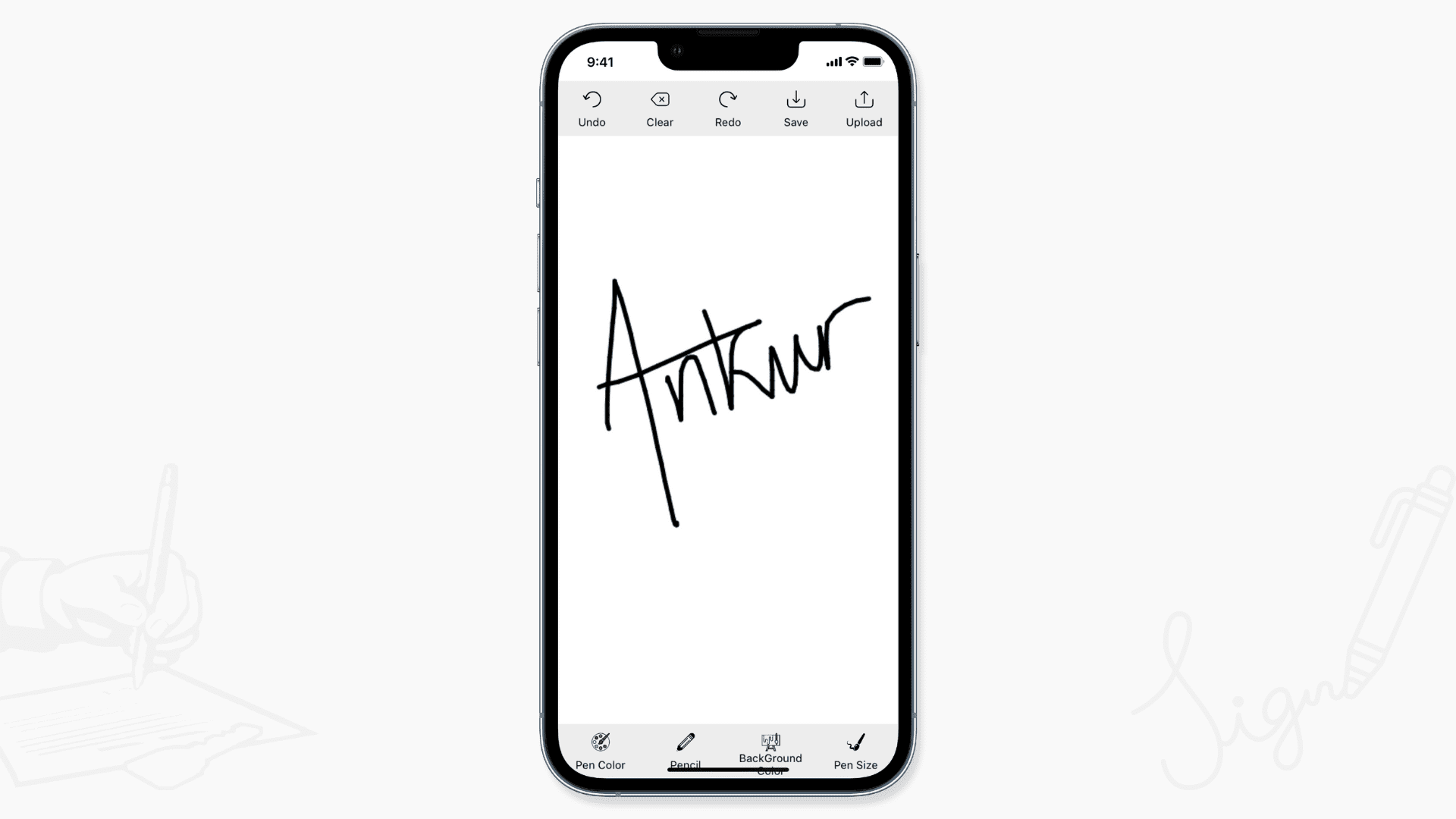 Drawing a signature directly on a mobile device for convenience.
Best Practices for Creating Professional Signatures
To make your signatures stand out:
- Keep them 200-400 pixels wide for optimal scaling.
- Use conservative colors like black or dark blue for professionalism.
- Maintain consistency across all your documents.
- Ensure legibility – avoid overly complex designs.
- For legal use, verify compliance with local laws.
FAQs About Digital Signature Generators
Is the tool really free?
Yes, 100% free with no restrictions.
Can I use these signatures legally?
In many cases, yes, but for critical documents, consider certified e-signature services like DocuSign.
Does it work on mobile?
Absolutely – it’s fully responsive with touch support.
What file format do I get?
High-resolution transparent PNG.
Is my data secure?
Yes, all processing is client-side – no servers involved.
 An example of a professional email signature incorporating contact details.
Conclusion: Elevate Your Digital Presence Today
The MICROQIT Free Digital Signature Generator is your go-to solution for creating professional handwritten signatures online. Whether for emails, PDFs, or contracts, this tool combines ease, quality, and privacy to help you stand out. Don’t wait – try it now and transform how you sign digitally.
Share this post if you found it helpful, and let us know in the comments if you have any tips for using digital signatures!
For more productivity tools, check out our other resources on MICROQIT.