The Ultimate Guide to Character Counters: Discover MicroQIT's Free Online Tool
In the digital age, where every character counts—literally—having a reliable character counter at your fingertips is essential. Whether you’re crafting the perfect tweet, optimizing meta descriptions for SEO, or ensuring your SMS messages stay under the limit, MicroQIT’s free online character counter is your go-to solution. This comprehensive tool not only counts characters but also provides insights into words, sentences, and paragraphs, all in real-time.
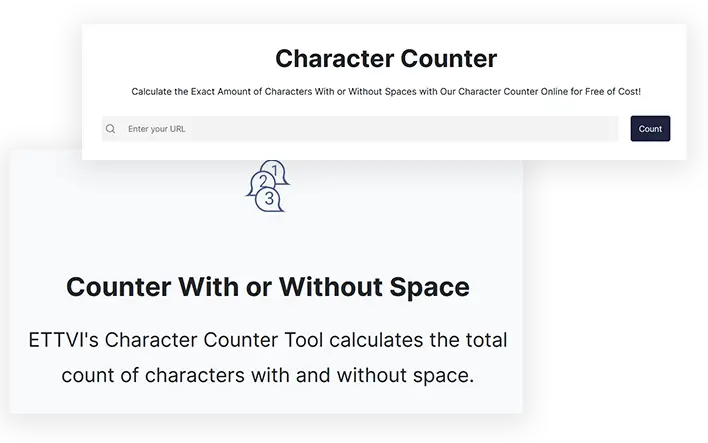 Image: A typical character counter interface for efficient text analysis.
If you’re a content creator, marketer, student, or professional writer, this guide will walk you through everything you need to know about character counters and why MicroQIT’s version stands out as one of the best free options available.
What is a Character Counter and Why Do You Need One?
A character counter is a digital tool that tallies the number of characters in your text, including letters, numbers, punctuation, spaces, and special symbols. Originating from the telegraph era, where messages were charged per character, these tools have evolved into sophisticated analyzers for modern content creation.
In today’s world, platforms like Twitter (now X), Instagram, and Google impose strict character limits. Exceeding these can lead to truncated messages, reduced visibility, or even failed posts. MicroQIT’s character counter ensures accuracy and helps you stay within bounds, making it indispensable for:
- Social media managers optimizing posts
- SEO specialists crafting meta descriptions
- Writers planning blog articles or essays
- Marketers designing email campaigns or SMS
With real-time updates and no data transmission to servers, it prioritizes privacy and efficiency.
Key Features of MicroQIT’s Character Counter
MicroQIT’s tool goes beyond basic counting, offering a suite of features designed for professional use. Here’s what makes it exceptional:
- Real-Time Analysis: Counts update instantly as you type or paste text—no refreshes needed.
- Comprehensive Metrics:
- Characters (with spaces): Includes everything from letters to line breaks.
- Characters (without spaces): Focuses on visible content, ideal for dense languages.
- Word Count: Treats hyphenated words as one, following standard conventions.
- Sentence Count: Detects based on punctuation for readability insights.
- Paragraph Count: Tracks structure for better content organization.
- User-Friendly Interface: Simple textarea for input, with paste and clear buttons for quick actions.
- Platform-Specific Guidance: Displays common limits for Twitter/X (280 chars), Instagram (2,200 for captions), Facebook (63,206 for posts), and more.
- Advanced Insights: Estimates reading time, average words per sentence, and text complexity.
- Offline Functionality: Works in your browser after loading, with no internet required for counting.
- Privacy-Focused: All processing happens client-side—your text stays private.
These features make it a versatile tool for anyone dealing with text limits or needing detailed analysis.
 Image: A content writer optimizing text on a laptop, highlighting the role of tools like character counters in SEO and writing workflows.
How to Use MicroQIT’s Character Counter: Step-by-Step Guide
Getting started is straightforward. Follow these simple steps to make the most of this online character count tool:
- Visit the Tool: Head over to MicroQIT Character Counter.
- Input Your Text: Type directly into the textarea or paste using Ctrl+V (Cmd+V on Mac).
- Monitor Counts: Watch the metrics update live—characters, words, sentences, and paragraphs.
- Utilize Additional Tools: Check platform limits and use pro tips for optimization.
- Clear and Reset: Hit the clear button to start fresh.
Pro Tip: Always leave a 10-20% buffer in your character count for last-minute edits or emojis, which can consume extra space.
Real-World Examples: Character Counting in Action
To illustrate its utility, here are some practical scenarios using MicroQIT’s tool:
Twitter/X Post Optimization
Text: “Just launched our new character counter tool! 🚀 Perfect for writers, marketers, and content creators. Try it now at microqit.com #ContentCreation #WritingTools”
- Characters: 168
- No Spaces: 144
- Words: 22
- Sentences: 3
This fits well within the 280-character limit, leaving room for engagement.
SEO Meta Description
Text: “Free online character counter tool with real-time text analysis. Count characters, words, sentences & paragraphs instantly. Perfect for social media, SEO & content writing.”
- Characters: 158
- No Spaces: 135
- Words: 22
- Sentences: 3
Ideal for Google’s 155-160 character recommendation, ensuring full display in search results.
SMS Message Planning
Text: “Hi! Your appointment is confirmed for tomorrow at 2 PM. Reply YES to confirm or CANCEL to reschedule. See you soon!”
- Characters: 119
- No Spaces: 100
- Words: 22
- Sentences: 3
Under the 160-character SMS limit, preventing message splitting.
 Image: Illustration of SEO meta description optimization, showing how character counters aid in search engine visibility.
Common Character Limits Across Popular Platforms
Staying aware of these limits is crucial for effective content distribution. Here’s a quick reference table:
| Platform | Limit | Notes |
|---|---|---|
| Twitter/X | 280 characters | For standard posts |
| 2,200 characters | Captions | |
| Instagram Bio | 150 characters | Profile bio |
| 63,206 characters | Regular posts | |
| 3,000 characters | Feed posts | |
| Google Meta Desc | 155-160 characters | SEO snippets |
| SMS | 160 characters | Single message |
| YouTube Title | 100 characters | Video titles |
| TikTok Caption | 2,200 characters | Video descriptions |
| Pinterest Desc | 500 characters | Pin descriptions |
 Image: Infographic summarizing character limits for various social media platforms.
Use MicroQIT’s tool to verify your content against these limits before publishing.
Benefits of Using MicroQIT’s Free Character Counter
- Boost Productivity: Instant feedback allows quick iterations, saving time on revisions.
- Improve SEO: Optimize meta descriptions and titles to enhance click-through rates and search rankings.
- Enhance Content Quality: Insights into sentence and paragraph structure help create more readable, engaging text.
- Ensure Compliance: Avoid truncation on social platforms, maintaining your message’s integrity.
- Cost-Free and Accessible: No downloads, registrations, or fees—available on any device.
By integrating this tool into your workflow, you’ll see improved engagement and better results across all your content efforts.
Frequently Asked Questions About Character Counters
What’s the difference between character count with and without spaces?
Character count with spaces includes all elements, while without spaces excludes whitespace for a focus on core content.
Is MicroQIT’s character counter accurate?
Yes, it’s 100% accurate, matching platform standards with real-time updates.
Can it handle large texts?
Absolutely—it supports up to hundreds of thousands of characters without issues.
Does it work for social media?
Perfect for platforms like Twitter, Instagram, and LinkedIn, with built-in limit references.
For more FAQs, visit the tool page directly.
Conclusion: Elevate Your Content Game with MicroQIT
In a world where concise, optimized content reigns supreme, MicroQIT’s character counter emerges as a must-have tool. Whether you’re aiming to rank higher on search engines, boost social media engagement, or simply write better, this free resource has you covered.
Ready to try it? Head over to MicroQIT Character Counter now and experience the difference. Don’t forget to bookmark it for your next writing session—your content (and audience) will thank you!
If you found this guide helpful, share it on social media or leave a comment below. For more tips on content creation and SEO tools, subscribe to our blog.